
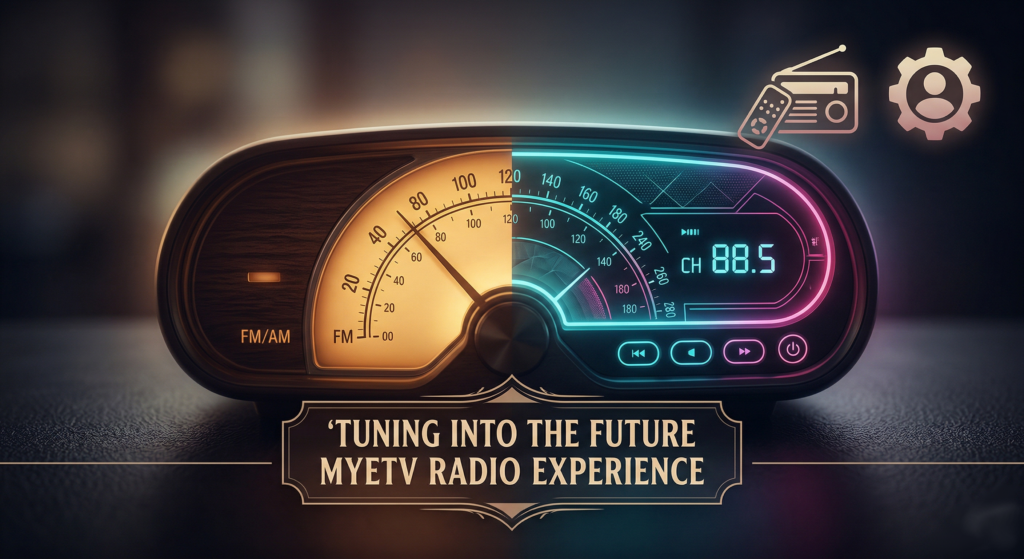
Do you remember the first time you fell in love with radio?
Maybe it was during a late-night drive, the dashboard glowing softly as you searched for a signal through the static. Maybe it was an old wooden radio in your grandparents’ kitchen, a heavy dial that required just the right touch to find that perfect melody. There is a specific kind of magic in the airwaves a sense of serendipity. You never quite know what song is going to play next, or what voice will keep you company.
Here at MYETV, we have always believed in the power of media to connect, entertain, and inspire. While we are incredibly proud of our cutting-edge video streaming capabilities, we felt that something nostalgic and profoundly human was missing from the modern digital landscape.
We wanted to bring that classic, magical feeling of “tuning in” right to your screens.
Today, after countless hours of designing, testing, and refining, we are beyond thrilled to introduce the MYETV Radio Plugin alongside a fresh, streamlined update to our platform- [Platform: the set of the main domain and all the subdomain of a particular website; also the computer architecture and equipment using a particular operating system] - ’s user interface.
Grab a cup of coffee, get comfortable, and let’s take a tour of what’s new.
The MYETV Radio Plugin: A Labor of Love
When we set out to build a radio feature for MYETV, we knew we didn’t want it to be just another boring list of links. We wanted it to be an experience. We wanted you to feel the joy of discovery and the comfort of a familiar interface, whether you are listening from your smartphone on a morning commute or leaving it on your big screen while you work.
Our team poured their hearts into making this look and feel absolutely perfect. We obsessed over every pixel, every shadow, and every interaction to ensure that the interface doesn’t just work it delights.
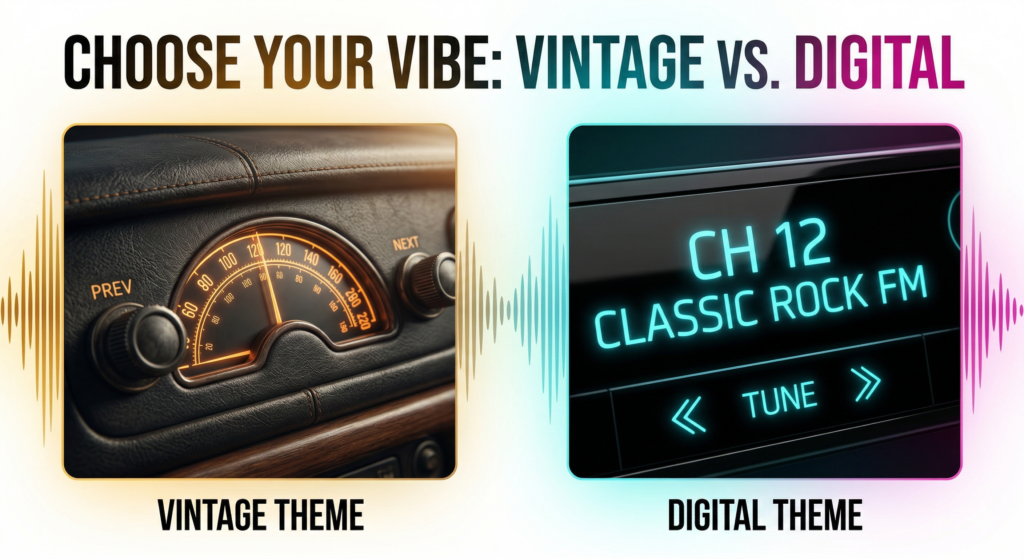
To give you the best of both worlds, we built the Radio Plugin with two distinct visual themes that you can switch between.
The “Vintage” Experience: Nostalgia at Your Fingertips
For the old souls and the retro lovers, we created the Vintage theme. Imagine a classic analog dial with a warm, glowing needle. The background features rich, dark textures with golden accents that evoke the feeling of a classic 1970s hi-fi system.
When you use the Vintage theme, you don’t just click a button to change the station; you can actually grab the dial and drag it left and right! Watching the frequencies slide by and the station names light up is a beautifully tactile experience that brings the old-school FM radio vibe straight into the 21st century.
The “Digital” Experience: Crisp, Clean, and Modern
If you prefer something a bit more contemporary, the Digital theme is for you. Inspired by modern car stereos and high-tech LCD displays, this theme strips away the analog dial in favor of a sleek, neon-cyan interface on a deep black background.
It’s minimalist, highly legible, and designed to look absolutely stunning if you leave it running on a secondary monitor or a smart TV. With crisp typography and precise tuning buttons, it’s the perfect companion for a late-night coding session or a futuristic gaming room setup.
More than 50.000 Radio Stations
We update the radio stations list every night, from the official distribution of radio-browse, to ensure it will be always updated with the lastes radio streams around the World; plus an additional custom list are added to ensure the best radio stations are builded into a single radio stations file.
Features Designed Around You
We didn’t just stop at making it look pretty. We wanted the MYETV Radio to be the smartest, most effortless radio you’ve ever used. Here are some of the quality-of-life features we’ve baked right in:
A Radio That Remembers You
Have you ever found the perfect jazz station from the UK, or a great pop channel from Italy, only to lose it the next time you opened your browser? We’ve solved that.
Hidden inside the player’s settings menu is a simple toggle: “Remember Channel.” When you turn this on, our platform gently saves your spot. If you close your laptop and come back three days later, MYETV will instantly tune you back into the exact same station and country you were listening to. It’s your radio, exactly how you left it.
The Art of “Zapping”
In the era of videos, your keyboard’s left and right arrow keys usually fast-forward or rewind what you’re watching. But on a live radio broadcast, rewinding doesn’t make much sense!
So, we taught our player a new trick. When you are using the Radio Plugin, pressing the Left or Right arrow keys on your keyboard will instantly “zap” you to the previous or next station. It’s incredibly fast, smooth, and feels just like hitting the preset buttons on a car dashboard.
A World of Music, Organized
Finding a station shouldn’t be a chore. We’ve included a lightning-fast search bar and a country filter. Looking for French acoustic music? Just select “FR” from the dropdown. Want to see everything? Hit the new “RADIO LIST” button at the bottom of the screen to open a beautiful, distraction-free directory of every available station, complete with their little logos.
And speaking of a distraction-free experience, you might notice that the video progress bar, the playback speed buttons, and other video-specific tools gracefully disappear when you launch the radio. We clear the clutter so you can focus entirely on the audio.
A Fresher, Cleaner MYETV: The UI Update
While we were busy building the ultimate radio experience, we took a step back and looked at the MYETV platform as a whole. As we add more amazing features, we want to make sure the site remains incredibly easy to navigate.
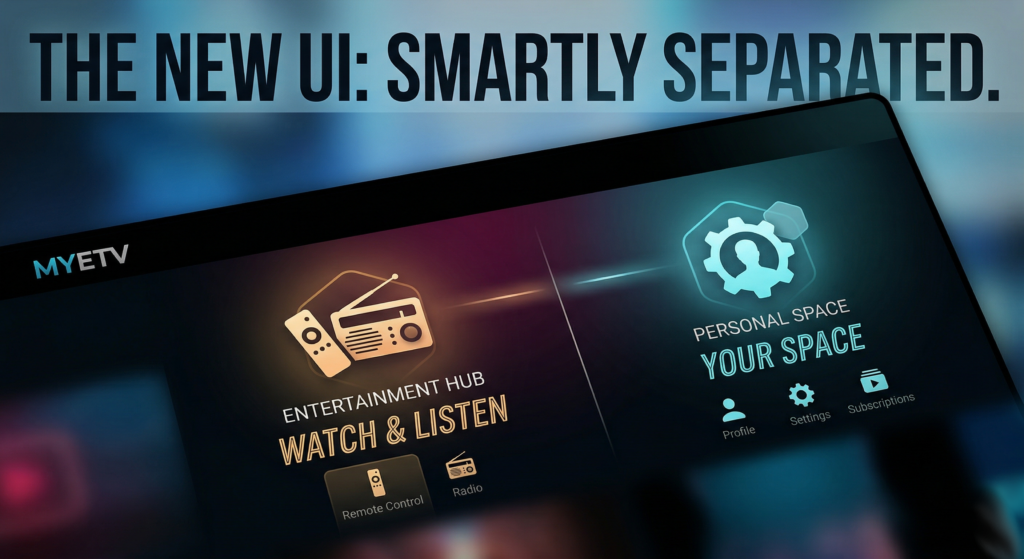
If you look up at the top right corner of your screen, you will notice a brand new layout! We’ve reorganized our header to make your life much easier, splitting our core tools into two distinct, easy-to-understand spaces.
1. The Entertainment Hub
The first new menu you’ll see is all about what you are experiencing. This is your command center for media. Inside, you will find:
- The Remote Control: For casting, controlling, and managing streams of the MYETV’s contents- [Contents: every content intended as text, images, audio or video] - across devices.
- The Radio: Your quick-access- [Access the simple access to a website as a visitor] - portal to launch the new Radio Plugin we just talked about! Everything related to playback and entertainment now lives harmoniously in this one dedicated spot.
2. Your Personal Space
Right next to it, you will find a second menu dedicated entirely to you. This is the specific hub for your MYETV Account- [Account: an Account contains the personal information that is assigned to those who register and access with email and password] - functionalities. Whether you need to check your profile, update your account settings, manage your subscriptions, or tweak your platform preferences, this is your private domain.
By separating the “Entertainment” from the “Account Management,” we’ve made the platform cleaner, faster to navigate, and much more intuitive. No more hunting through menus to find what you need!
Developed as Open Source Plugin
We developed this application as a plugin of our MYETV Video Player OpenSource project and the great thing is that the whole application, including the plugin, is completely open source and the plugin code can be browsed on Github here: https://github.com/OskarCosimo/myetv-video-player-opensource/tree/main/plugins/radio
The Journey Continues
Bringing this update to life has been an incredible journey. It took a lot of late nights, a healthy amount of coffee, and a relentless dedication to making sure that every button, every margin, and every line of code works seamlessly on whatever device you choose to use.
We built the MYETV Radio and updated our UI because we want this platform to feel like home. Whether you are here to watch an intense documentary, catch up on indie films, or simply let a vintage radio dial spin in the background while you read a book, we want your experience to be flawless.
This update is rolling out right now across the platform. We invite you to log in, head up to that new top-right menu, launch the Radio, and take the dial for a spin.
Turn up the volume, explore the airwaves, and let us know what you think. What’s the first station you tuned into? Which theme is your favorite? We can’t wait to hear your feedback.
Happy listening,
The MYETV Team
