
Welcome to October: where innovation meets tradition
There is a distinct energy in the air when October arrives at MYETV. For our global community of creators, viewers, and network- [Network of Contents: is the channel in which owners can post their content and the audience can see the contents posted by the owners] - curators, this time of year has always been special. But if you have been with us for a while, you already know our rhythm: even-numbered years are our milestone years.
Every two years, we take a giant leap forward, rolling out major improvements to how you discover music, watch live performances, share stories, and connect with independent networks. 2026 is no exception, in fact, it is our most ambitious chapter yet.
Over the past few days, you may have already noticed something different while watching videos on your computer or browsing the feed on your phone. Behind the scenes, we have completely reimagined how media playback and feed exploration work together. We wanted to eliminate the age-old compromise of having to choose between watching a video or scrolling down to read the conversation, explore the creator’s channel, or see what comes next.
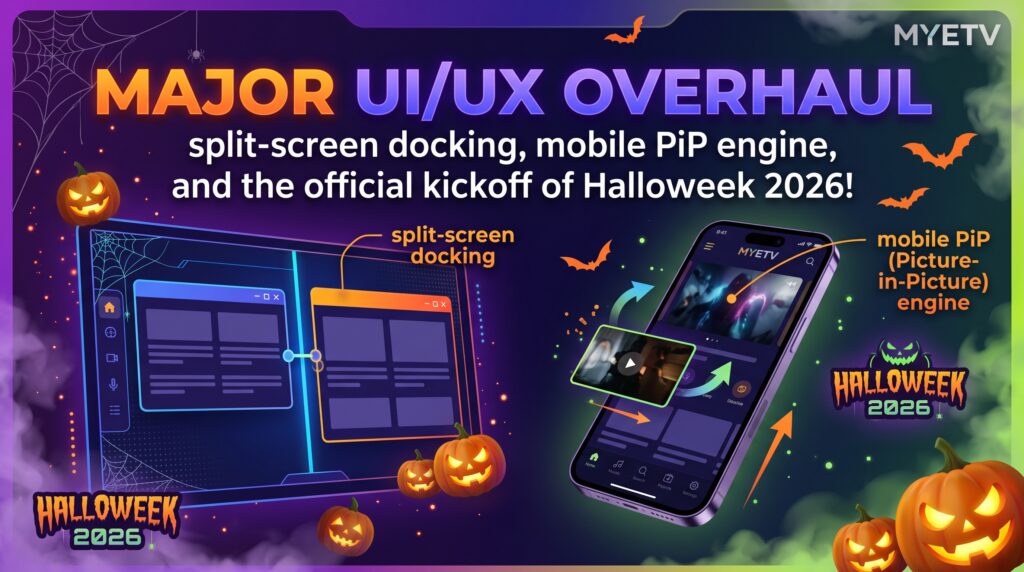
Today, we are thrilled to formally announce this massive visual and functional overhaul, along with the official kickoff of Halloweek 2026, an autumn celebration packed with weekly feature drops, festive decorations, and surprises that will run all the way through the end of the month.
Re-Engineering the experience: watching without interruptions
Online contents- [Contents: every content intended as text, images, audio or video] - has a long-standing design problem. On most websites, the moment you scroll down to read a description, check out links, or browse other posts, the video simply vanishes behind you. Some platforms try to solve this with a tiny floating box in the bottom corner of the screen, but those mini-players usually come with their own frustrations: they cover up the text you are trying to read, they hide all the creator’s information, and on mobile phones, they take over the screen awkwardly.
We believed there had to be a far more natural, elegant way to enjoy content- [Contents: every content intended as text, images, audio or video] - . Our goal was straightforward: allow you to keep watching your video in high quality while giving you total freedom to explore the rest of the page, read every detail, and never miss a beat.
Here is a guided look at everything we have introduced.
The new Split-Screen mode on computers and tablets
If you are using MYETV on a laptop, desktop, or tablet in landscape mode, you have plenty of horizontal screen space. Traditional video websites leave enormous blank spaces on the left and right margins, forcing everything into a narrow vertical column.
With our new Smart Split-Screen Mode, the screen adapts dynamically as you browse:
1. Two perfect halves, working in harmony
When you start a content at the top of the page, it begins in its grand, cinema-style view. But as soon as you scroll down to see more:
- The content stays smoothly anchored on the left: The player neatly glides into the top-left half of the screen. It stays at an ideal viewing size, neither too big nor too small, so you can continue enjoying every detail of the video in high definition.
- The entire content card anchors on the right: Instead of stripping away the video details into a plain text box, the entire creator card appears on the right half of the screen. You see the creator’s avatar, their custom channel colors, verified badges, action buttons, the full description with clickable links, hashtags, and interactive reactions.
- Seamless edge-to-edge connection: The video on the left and the card on the right meet seamlessly in the middle with zero gap. Nothing from the rest of the website bleeds between them, creating a unified, distraction-free viewing dashboard.
2. Independent reading with smooth background browsing
Because lengthy video descriptions often contain full tracklists, lyrics, credits, or production notes, the right-hand card features its own smooth internal scroll. You can scroll through long essays or link directories on the right without moving the rest of the website.
Meanwhile, underneath this top viewing deck, the entire rest of MYETV your personalized feed, related shows, photo albums, and upcoming series continues to scroll smoothly. You get the best of both worlds: your content and its full context stay pinned at the top, while the rest of the platform- [Platform: the set of the main domain and all the subdomain of a particular website; also the computer architecture and equipment using a particular operating system] - remains open for discovery below.
3. Total control in your hands: simple dock and undock controls
We believe technology should adapt to you, not the other way around. Right beneath the video player, you will find clean, friendly control buttons:
- Undock / Dock: Prefer the classic look where the video scrolls away naturally? One click instantly releases the video from the top of the screen so it moves with the page like a traditional post.
- Undock Card: Want to give your full attention to the video without the side information? This button allows you to tuck away the right-hand description card, expanding the player across the full width of the screen.
- Automatic Reset: If you scroll back up to the top of the card or reach the beginning of the page, the interface quietly and automatically resets to its normal layout.
A tailored, taller experience for mobile phones
Browsing on a smartphone is a very different experience than using a mouse and keyboard on a wide monitor. Dividing a narrow vertical phone screen into two side-by-side halves simply doesn’t work.
That is why we created a completely customized, mobile-first approach designed specifically for handheld viewing:
1. Smart mobile header sticking
When you play a content inside your timeline feed on your phone and scroll downward, only the video player smoothly floats to the top of your screen. The content stays anchored right beneath the top header, while the post’s text, description, and following posts continue to scroll naturally underneath your thumb.
2. The new balanced video dimension
Historically, videos embedded in mobile feeds often felt too short or vertically squished, making it hard to see details in widescreen productions without turning your phone sideways.
On mobile devices, we have given the player a taller, more squared-up proportion that feels significantly more natural in vertical orientation. It provides a generous, immersive picture that is easy on the eyes, while still leaving plenty of comfortable reading room on the lower half of your screen. When viewed on computers, the player automatically stays in its sleek widescreen proportion, ensuring that every device receives the ideal visual balance.
Clean, unbroken scrolling: no more jumps or screen shakes
Have you ever visited a website where scrolling down causes the screen to suddenly jerk, jump a few inches, or flicker wildly because an ad or video tried to stick to the top? It is one of the most frustrating experiences on the modern web.
This happens when an element detaches to float at the top of the screen and the page underneath abruptly collapses to fill the empty space, causing everything below to shoot upward.
We dedicated extensive engineering time to making sure this never happens on MYETV:
- Invisible Height Placeholders: The exact millisecond a video or card detaches to float at the top, an invisible, perfectly measured placeholder remains in the page. The overall height of the website never drops, and the items below it do not jump.
- Uncovered Content: When the floating player appears, the articles, sponsored highlights, and next posts you were about to read stay right where your eyes were looking, positioned comfortably below the floating video rather than jumping behind it.
- Effortless Transitions: Whether you scroll quickly down a busy timeline or flick back up to the top, the transition between pinned and inline viewing feels smooth, stable, and completely natural.
The inverted navigation bar: smart, friendly, and respectful
One of the most clever improvements in this update involves our secondary navigation toolbar, the bar that gives you quick access- [Access the simple access to a website as a visitor] - to recent views, timeline filters, and network tools.
1. Why moving to the bottom makes sense
Normally, this menu bar appears near the top of the screen when you scroll upward. However, when a video is already pinned at the top, a top-sliding menu would either cover the video playback controls or hide behind the video where you can’t reach it. Furthermore, covering video controls with website menus violates international streaming standards and video provider policies.
Our system now detects when a video is pinned and automatically moves the navigation bar to the bottom of your screen:
- When you scroll down through the feed while watching a video, the toolbar rests comfortably at the bottom edge of your screen.
- It leaves the video completely uncovered and clear at the top, keeping all playback, volume, and fullscreen controls accessible.
- The moment you finish watching or unpin the video, the bar seamlessly returns to its original position at the top of the website.
2. Menus that open upwards
When a toolbar sits at the bottom of a mobile phone screen, traditional drop-down menus that open downwards would disappear under the bottom edge of your phone! Our toolbar now detects its bottom position and flips all menus to open upwards into the screen, ensuring that every button, option, and link is easy to reach with your thumb.
3. Native light and dark themes
We also removed rigid color schemes from this floating bar. It now breathes with your chosen look:
- In Light Mode, it displays a crisp, clean white surface with clear dark text and subtle borders.
- In Dark Mode, it smoothly switches to an elegant, deep-charcoal surface that is gentle on your eyes during nighttime viewing.
The big announcement: Halloweek 2026 has officially begun! 🎃
With our core platform mechanics faster, smoother, and more flexible than ever, we are delighted to officially open the doors to Halloweek 2026!
The Even-Year Magic
At MYETV, autumn is never just another season on the calendar. For over a decade, our community has celebrated our tradition of even-year milestones. Every two years, we treat the entire month of October not just as a holiday, but as an open celebration of creativity, technology, and community spirit.
Throughout the rest of October 2026, MYETV will be completely dressed up for Halloween, with continuous weekly updates and community surprises rolling out through October 31st.
Here is a glimpse of what is already live and what you can look forward to over the coming weeks:
1. A festive, spooky makeover across the platform
Look around your timeline, your profile, and your favorite networks—you will find charming autumn touches everywhere:
- Playful Profile Badges: Avatars across the timeline now feature festive seasonal accents, including floating witch hats and cheerful jack-o’-lanterns.
- Atmospheric Channel Themes: If you run your own Network on MYETV, head over to your Network Manager! We have unlocked limited-edition autumn and spooky visual themes, ranging from warm pumpkin glows to deep gothic slate and twilight purples. You can dress your channel in seasonal style with a single click.
- Animated Easter Eggs: Keep an eye out while exploring! Special animations and seasonal loading graphics have been tucked into various buttons, player loading screens, and community spaces.
2. A month packed with weekly feature drops
We aren’t stopping with the interface redesign. Over the next three weeks leading up to Halloween night, we will be releasing new platform features every single week:
- Smarter Discovery and AI Upgrades: We are rolling out deeper, myai optimizations (5x faster than before), search engine- [Search Engine: is the application that deals with the search for content, networks or anything else on the platform] - optimizations with wheater and financial informations, faster language translation and smart topic summaries directly on timeline cards, making it easier than ever to explore international networks in your native language.
- Halloweek MyCoins Rewards: Active community members, content curators, and channel owners will find special seasonal perks and credit bonuses inside their Digital Wallets throughout the festive season.
- Interactive Network Extensions: Brand-new apps are coming to the Network Extensions store, allowing creators to host autumn polls, community questions, and themed media showcases.
- Performance Enhancements: We are continuing to fine-tune our streaming engine so that every page loads instantly, regardless of your connection speed or device.
A quick overview of what you can try right now
Here is a handy summary of the new capabilities ready for you to explore on MYETV today:
- Dual Split-Screen (Computers & Laptops): Scroll down while watching a video to see the player dock on the left and the full, beautifully styled content card dock on the right.
- Floating Mobile Player (Smartphones): Enjoy continuous video at the top of your phone with a taller, clearer picture while reading and browsing comfortably below.
- Inverted Bottom Toolbar: When watching pinned videos, navigation controls move safely to the bottom of the screen with menus that open upward toward your thumb.
- Adaptive Theme Styling: Clean white navigation in daylight, sleek dark navigation at night.
- Simple Dock Controls: Pin, unpin, or expand your view at any time with dedicated buttons situated right under the video.
- Zero Screen Bounce: Enjoy rock-solid, fluid scrolling where reading positions never jump.
- Halloweek 2026 Festivities: Explore spooky decorations, dress up your network with autumn themes, and prepare for new updates every week until Halloween!
Built for You, With You
At MYETV, our mission has always been to build a creative, independent multimedia home where technology works for the user, not against them. We want you to enjoy music, follow your favorite channels, learn from documentaries, and share your voice without clunky interfaces getting in your way.
This latest update is designed to make your daily time on MYETV more comfortable, flexible, and fun.
Take the new interface for a spin today, test out the split-screen on your computer, scroll through your timeline on your phone, and let us know what you think. And most importantly, get ready for an unforgettable month of surprises, music, and community creativity as we celebrate Halloweek 2026 together.
Thank you for being part of our network. Have a wonderful, safe, and happy start to the season!
— The Entire MYETV Team
