
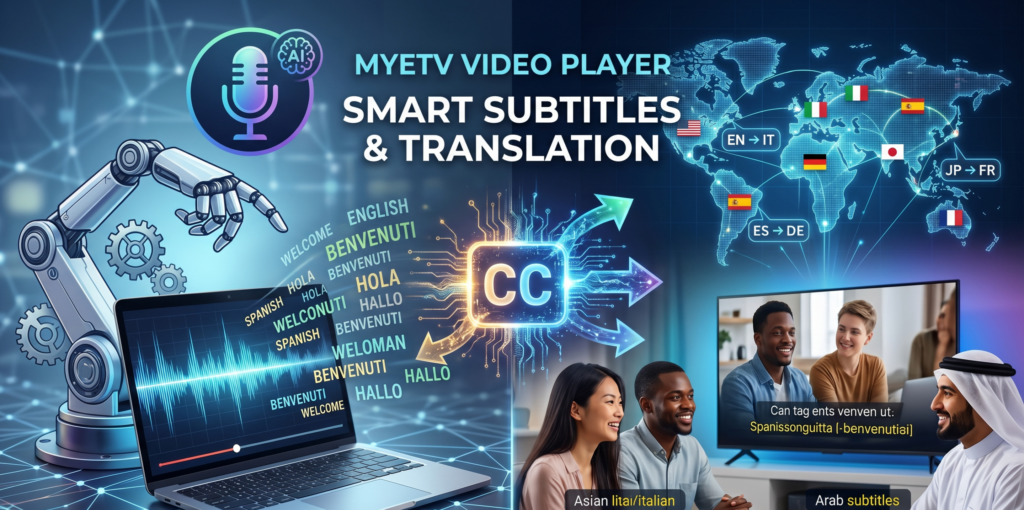
Ist Ihnen jemals ein Video überfallen, das absolut faszinierend aussah – vielleicht eine seltene historische Dokumentation, ein technisches Tutorial auf hohem Niveau oder ein fesselnder Reisevlog –, nur um Sekunden später festzustellen, dass es in einer Sprache war, die Sie nicht verstanden? Dieses frustrierende Gefühl ist etwas, das fast jeder Internetnutzer erlebt hat. Sie drücken den „Zurück“-Knopf, und dieser Inhalt, zusammen mit der harten Arbeit des Erstellers, geht Ihnen verloren.
Umgekehrt, wenn Sie ein Creator sind, kennen Sie die zermürbende Realität der Zugänglichkeit. Sie haben Stunden damit verbracht, Inhalte zu filmen, zu bearbeiten und zu perfektionieren, nur um sich dann mit dem Berg an Arbeit konfrontiert zu sehen, der nötig ist, um Untertitel hinzuzufügen. Es ist ein mühsamer, zeitaufwendiger Prozess, der Creator oft in ihrer eigenen sprachlichen Blase gefangen hält.
Bei MYETV haben wir Monate damit verbracht, darüber nachzudenken, wie man dies im großen Maßstab lösen kann. Wir glauben, dass Wissen und Unterhaltung grenzenlos sein sollten. Heute sind wir stolz darauf, den Vorhang zu einem Projekt zu lüften, das alles verändert: Das neue MYETV Auto-Untertitelungs-Plugin.
1. Die Kraft der KI direkt in Ihren Browser bringen
Als wir dieses Projekt begannen, untersuchten wir, wie die Branche mit Untertiteln umgeht. Der typische Weg ist „Cloud-First“: Sie laden Ihr Video auf einen Server hoch, zahlen eine Abonnementgebühr, warten darauf, dass die KI es verarbeitet, und laden dann die Ergebnisse herunter. Wir fanden dieses Modell veraltet, langsam und, ehrlich gesagt, teuer sowohl für den Ersteller als auch für die Plattform.
Wir fragten uns: „Können wir professionelle KI-Transkription direkt in den Browser bringen, ohne riesige Serverfarmen zu benötigen oder die Privatsphäre des Nutzers zu gefährden?“
Die Antwort war ein klares Ja, und das Geheimnis liegt in der Client-Side AI.
Die „Auto-Sub“-Revolution
Unser neues Auto-Untertitelungs-Plugin nutzt Whisper AI, den Goldstandard der Spracherkennung, angetrieben durch Transformers.js. Aber hier ist der technologische Durchbruch: alles passiert in Ihrem Browser.
Wenn Sie ein Video auf MYETV ansehen, läuft das KI-Modell lokal auf Ihrem Gerät. Ihre Video- und Audiodaten verlassen Ihren Browser niemals, um auf einem entfernten Server verarbeitet zu werden. Dieser Ansatz bietet drei wesentliche Vorteile:
- Unübertroffene Privatsphäre: Da keine Daten zur Verarbeitung an einen externen Server übertragen werden, bleiben Ihre Inhalte privat und sicher.
- Null Latenzzeit für die Plattform: Da die Arbeit auf die Geräte der Zuschauer verteilt wird, kann MYETV diese Technologie Millionen von Nutzern anbieten, ohne eine exponentiell teure Serverinfrastruktur benötigen zu müssen.
- Geschwindigkeit: Sie erhalten Ergebnisse in Echtzeit.
Übersetzung im Flug
Transkription ist nur der erste Schritt. Unser System unterstützt jetzt Übersetzung im Flug. Sie müssen nicht warten, bis ein Ersteller eine Übersetzung für Ihre Sprache hochlädt. Mit unserer neuen Engine können Sie ein Menü umschalten und Ihre bevorzugte Sprache auswählen – von Italienisch bis Japanisch, von Arabisch bis Russisch – und zusehen, wie die Untertitelungen sofort in Ihrem Player übersetzt werden.
Wir haben sogar ein persistentes Caching-System implementiert. Das erste Mal, wenn Sie ein Video übersetzen, speichert das System dies ab. Wenn Sie (oder jemand anderes) das Video das nächste Mal ansehen, wird die Übersetzung sofort aus dem lokalen Speicher Ihres Geräts geladen. Es ist reibungslos, schnell und fühlt sich wie Magie an.
2. Ein Player, der jedes Format versteht
Obwohl die neuen KI-Funktionen der Star des Shows sind, wissen wir, dass viele unserer Power-User und professionelle Ersteller bereits eigene Untertiteldateien haben (die klassische .srt oder die moderne .vtt). Wir wollten Ihre Expertise oder die Zeit, die Sie bereits investiert haben, nicht ignorieren.
Wir haben den Kern des MYETV Video Player überarbeitet, um ihn zu einem „Alleskönner“ in Bezug auf Untertitel zu machen:
- VTT- und SRT-Harmonie: Der Player versteht nun nativ sowohl WebVTT (
.vtt) als auch SRT (.srt) Dateien. Sie können sie mischen und matchen. Egal, ob Sie einen professionellen Editor oder ein automatisiertes Tool verwenden, MYETV wird sie perfekt anzeigen. - Der „Blinder Fleck“-Fix: Früher hatten Browser oft Schwierigkeiten, Untertitelungen konsistent anzuzeigen. Eine Untertitelung sah auf Chrome gut aus, konnte aber auf einem Smart-TV oder in einer bestimmten mobilen Ansicht unsichtbar oder verzerrt sein. Wir haben eine benutzerdefinierte Rendering-Engine implementiert, die die Kontrolle vom fehlerhaften Standard-UI des Browsers übernimmt. Wir zeichnen den Text nun direkt über das Video, wodurch sichergestellt wird, dass die Untertitelungen auf Ihrem High-End-PC, Ihrem Smartphone oder Ihrem Tablet identisch aussehen.
- Hybride Intelligenz: Der Player verwendet nun einen „Smart Hybrid Mode“ mit aktiviertem Plugin. Wenn er feststellt, dass Sie bereits qualitativ hochwertige Untertiteldateien bereitgestellt haben, priorisiert er diese. Wenn er ein Video ohne Untertitel erkennt, aktiviert er nahtlos die KI-Engine. Es ist ein intelligenter, wartungsfreier Ansatz, der garantiert, dass Sie immer das bestmögliche Seherlebnis haben.
3. Ein neues Versprechen: Barrierefreiheit für jeden Upload- [Upload: the action by a owners of the network of sending an image or audio or video file (named as content) from the device] -
Dies ist die Nachricht, auf die wir am meisten stolz sind: Ab heute ändert MYETV seine Archivierungsrichtlinie grundlegend.
Wir glauben, dass Inhalte „zukunftssicher“ sein sollten. Von heute an wird unsere Infrastruktur im Hintergrund arbeiten, wann immer ein neues Video auf MYETV hochgeladen wird, um sicherzustellen, dass der Inhalt transkribiert wird. Wir wollen nicht nur Ihr Video hosten; wir wollen ihm eine „Stimme“ in jeder Sprache geben.
Dieses Engagement für universelle Zugänglichkeit stellt sicher, dass:
- Tiefes Suchen: Sehr bald können Sie nach bestimmten Phrasen oder Momenten in einem Video suchen, basierend auf dem, was gesagt wurde, und nicht nur anhand des Titels oder der Beschreibung.
- Wahre Inklusion: Ihre Videos werden für die gehörlose Gemeinschaft und für jeden zugänglich, der es vorzieht, Videos ohne Ton anzusehen (z. B. an einem öffentlichen Ort).
- Globale Reichweite: Ihr Inhalt ist nicht länger auf eine einzige Sprache beschränkt. Ein Bildungsvideo, das in Rom gedreht wurde, kann sofort in Tokio verstanden werden. Sie sind nicht nur ein Schöpfer; Sie sind ein globaler Pädagoge.
4. Open Source: Unser Geschenk an die Entwickler-Community
Bei MYETV sind wir feste Verfechter von Transparenz und kollaborativem Wachstum. Wir glauben, dass Technologie, die die Welt verändert, im Licht und nicht im Schatten geschaffen werden sollte.
Das ist der Grund, warum wir das Auto-Untertitelungs-Plugin offiziell als Open-Source-Projekt auf GitHub veröffentlicht haben. Wir möchten, dass Entwickler aus der ganzen Welt unseren Code ansehen, von unserer Implementierung von Transformers.js lernen und uns bei der Verbesserung helfen. Sie finden das Repository hier auf GitHub.
Wir laden Sie ein, es zu klonen, anzupassen und beizutragen. Indem wir diese Technologie offenlegen, bauen wir nicht nur für MYETV, sondern für das gesamte Web.
Warum dies Ihnen wichtig ist
Wenn Sie ein Zuschauer sind: Das Internet ist gerade zu einem viel kleineren, freundlicheren Ort geworden. Sie müssen nicht länger warten, bis ein Schöpfer Zeit findet, sein Werk zu übersetzen. Sie haben jetzt die Kontrolle. Drücken Sie einfach auf den „CC“-Button, wählen Sie Ihre Sprache und tauchen Sie in jeden gewünschten Inhalt ein. Die Sprachbarriere wurde offiziell abgebaut.
Wenn Sie ein Schöpfer sind: Sie müssen endlich aufhören, sich um Barrierefreiheit als „Aufgabe“ zu sorgen. Sie konzentrieren sich auf das Schaffen; wir konzentrieren uns darauf, sicherzustellen, dass Ihre Botschaft jeden erreicht. Ihr Inhalt wird automatisch transkribiert, ist automatisch durchsuchbar und bereit für globale Übersetzungen. Sie laden nicht nur ein Video hoch; Sie starten ein Projekt, das von Millionen mehr Menschen verstanden werden kann als zuvor.
Der Weg liegt vor uns
Dieses Update ist erst der Anfang. Wir planen bereits weitere Verbesserungen der KI-Genauigkeit, neue Möglichkeiten zur Anpassung des Aussehens und Gefühls Ihrer Untertitel (Schriften, Farben, Hintergrundstile) und noch effizientere Übersetzungsmaschinen, die das Benutzererlebnis noch schneller machen werden.
Wir möchten uns bei unserer großartigen Community für das Feedback, das Stresstesting und die ständige Unterstützung bedanken. Es ist Ihre Leidenschaft, die uns antreibt, Werkzeuge zu bauen, die das Internet für jeden zu einem besseren, inklusiveren Ort machen.
Besuchen Sie jetzt MYETV, laden Sie ein Video hoch oder schauen Sie Ihren Lieblingsinhalt an und vergessen Sie nicht, den neuen „CC“-Button auszuprobieren. Wir würden gerne wissen, was Sie denken!
MYETV Video Player Open Source: https://github.com/OskarCosimo/myetv-video-player-opensource
Autosub Plugin Open Source: https://github.com/OskarCosimo/myetv-video-player-opensource/tree/main/plugins/autosub
Bleibt kreativ, seid neugierig und viel Spaß beim Schauen!
Das MYETV Entwicklungsteam
