
A New Era of Social Media Management
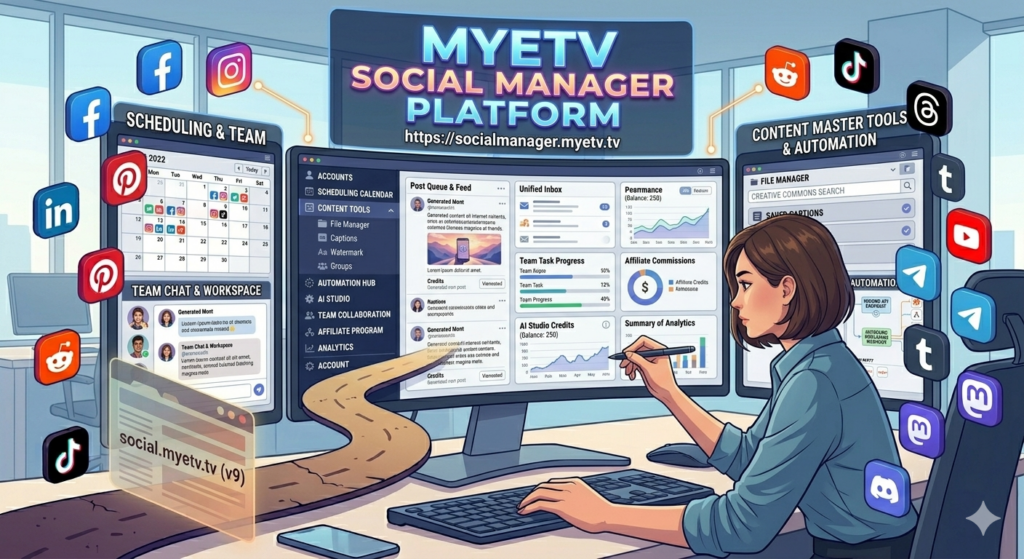
The digital landscape is evolving faster than ever, and so are we. We are incredibly proud to announce the next monumental leap in our ecosystem: the brand new MYETV Social Manager Platform.
Starting today, we are officially transitioning from our classic dashboard at social.myetv.tv to a vastly superior, infinitely more powerful home: https://socialmanager.myetv.tv. This isn’t just a redesign; it is a complete reimagining of how you create, automate, and manage your online presence. Built from the ground up to empower individual creators, marketing teams, and enterprises alike, this platform- [Platform: the set of the main domain and all the subdomain of a particular website; also the computer architecture and equipment using a particular operating system] - is live and fully operational the moment you read this post.
Grab a cup of coffee. This is a comprehensive, deep-dive guide designed to walk you through every single feature of our massive new hub.
Table of Contents- [Contents: every content intended as text, images, audio or video] -
- Welcome to the MYETV Social Manager Platform
- Navigating Your Account & Settings
- The Ultimate Setup Guide: Connecting Your Social Networks
- Next-Generation Publishing & Scheduling
- The Automation Hub: Connect Anything
- Content Mastery: File Manager, Captions & Watermarks
- AI STUDIO: The Future of Content Generation
- Team Collaboration Workspace
- The Affiliate Program: Earn While You Manage
1. Welcome to the MYETV Social Manager Platform
Managing multiple social media channels can feel like a full-time job. The MYETV Social Manager Platform was engineered to centralize your workflow. By migrating to https://socialmanager.myetv.tv, we have unlocked the ability to integrate cutting-edge AI, complex webhook automation, and enterprise-level team management into one unified dashboard. Whether you are scheduling a month of content- [Contents: every content intended as text, images, audio or video] - , collaborating with colleagues, or using AI to generate high-converting copy, everything happens right here. It’s easy to use just signup an account- [Account: an Account contains the personal information that is assigned to those who register and access with email and password] - and start adding your social networks account to send new post text, image or video.
2. Navigating Your Account & Settings
Before you start publishing, let’s explore your command center. Click on your Avatar in the top right corner of the dashboard to open your account menu. Here is what you will find:
- Profile: Update your personal information, change your password, and customize your user interface preferences.
- Plans & Upgrades: Seamlessly manage your subscriptions. You can view your current limits, upgrade to higher tiers, or switch between monthly and annual billing cycles for better savings.
- Credit Packages: Our advanced generative AI features run on credits. Here, you can monitor your credit balance and purchase predefined credit packages whenever you need a boost.
- Billing: A complete overview of your payment methods and the active services you are subscribed to.
- Invoices: Never lose track of a business expense. All your payment receipts and downloadable PDF invoices are securely stored here.
- Activity Log: Security and tracking are paramount. The activity log provides a detailed audit trail of everything happening on your account, from logins to published posts and team actions.
- AI Settings: Take control of your artificial intelligence tools. You can globally enable or disable generative AI features for your workspace, set default tones, and manage how AI interacts with your daily workflow.
3. The Ultimate Setup Guide: Connecting Your Social Networks
A social media manager is only as good as the networks it supports. We have integrated 12+ major platforms. To get started, navigate to the Channels tab on the left sidebar and click Add Channels. Here is how to handle each one:
- Facebook.com: locate it with the Facebook icon. Press on the button “+Page”. You will be prompted to log in to your Facebook account and grant MYETV Social Manager permission to access- [Access the simple access to a website as a visitor] - your profile and managed pages. You can select exactly which Pages you want to import.
- Instagram.com: For the best experience, ensure your Instagram account is set to a “Professional” or “Creator” account and linked to a Facebook Page. Click “+Profile”, authenticate via Facebook, and authorize Instagram publishing.
- LinkedIn.com (Profile & Page): Locate it with the LinkedIn icon. You can connect both your personal professional Profile and your Company Pages, click on “+Profile” or “+Page”. Authenticate through the secure LinkedIn OAuth popup to allow content posting.
- Pinterest.com: Locate it with the Pinterest icon. Press on “+Board”, log in, and grant board access. You will be able to select specific boards to pin your visual content directly from our dashboard.
- Reddit.com: Locate it with the Reddit icon. Press on “+Profile”, authorize the app, and you can instantly schedule posts to your favorite subreddits or your personal profile.
- TikTok.com: Locate it with the TikTok icon. Press on “+Profile” and authorize your TikTok account to schedule short-form video content directly to your feed. Please note: tiktok accepts only video contents.
- Threads.com: Locate it with the Threads icon. Press on “+Profile” and authenticate your Threads account via your connected Instagram profile to schedule text, images, and quick updates.
- YouTube.com: Locate it with the Youtube icon. Press on “+Channel” and connect your Google account, select your YouTube channel, and grant permissions. You can now schedule long-form videos and Shorts. Please note: Youtube accepts only video contents.
- Telegram: Locate it with the Telegram icon. Press on “+Channel” or “+Group” and connect your Telegram account to manage your channels and groups. You will need to add our platform bot to your Telegram channel as an administrator to enable seamless broadcasting.
- Tumblr: Locate it with the Tumblr icon. Press on “+blog” log in, and authorize access to your blogs for instant multimedia posting.
- Mastodon: Locate it with the Mastodon icon. Press on “+Profile” and enter your specific Mastodon server/instance URL, log in, and authorize the application to schedule your toots to the fediverse.
- Discord: Locate it with the Discord icon. Press on “+Channel” and connect your Discord server by authorizing our bot. You can select specific channels within your server where the platform will push announcements, images, and links.
Pro Tip – The “Groups” Feature:
Once your accounts are connected, navigate to the Groups section. Here, you can bundle multiple social networks together (e.g., “Tech News Channels” containing Twitter, LinkedIn, and Telegram). When composing a new post, simply select the Group, and the platform will automatically format and queue the post for all networks within that bundle, saving you countless clicks.
4. Next-Generation Publishing & Scheduling
At the heart of the MYETV Social Manager Platform is our state-of-the-art publishing engine.
Calendar Scheduling
The interactive, drag-and-drop Calendar gives you a bird’s-eye view of your entire social media strategy. You can click on any future date, draft a post, attach media, and set the exact minute you want it to go live. Easily drag posts between days if your strategy shifts.
RSS Scheduling Automation
Want to keep your feeds active without lifting a finger? The RSS Scheduling feature allows you to connect any valid RSS feed (like your WordPress blog, a news site, or a podcast feed). The platform will automatically monitor the feed and generate new social posts every time a new article is published, fully customized with your chosen hashtags and introductory text.
AI Publishing Assistant
When composing a post, click on the AI Publishing icon. Simply type a brief prompt (e.g., “Write an engaging Facebook post about the benefits of remote work, including 3 emojis and trending hashtags”), and our AI will generate a platform-optimized post instantly, save it as a caption and use it whenever you want to send a new post.
5. The Automation Hub: Connect Anything
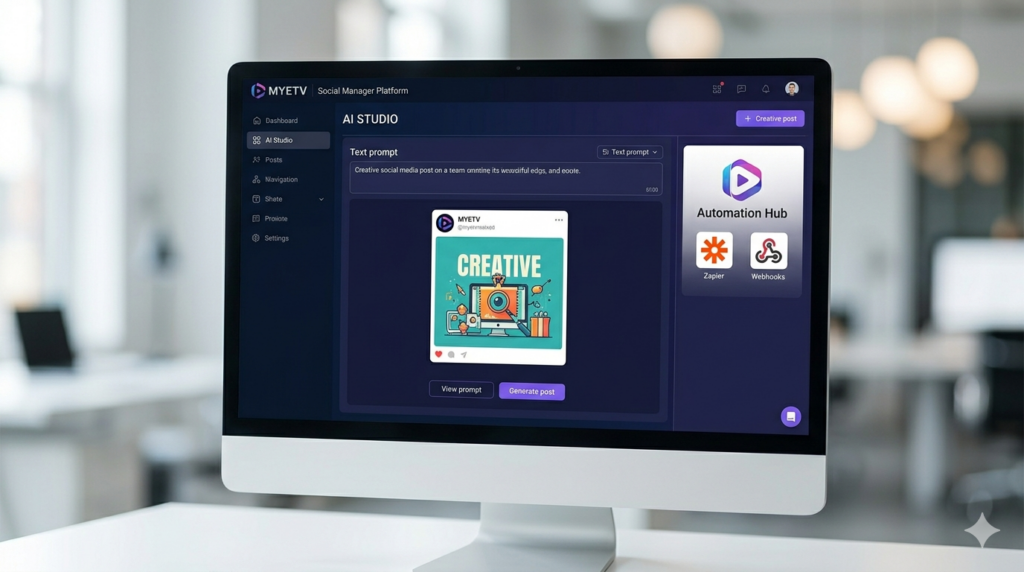
For power users, marketers, and developers, we introduce the Automation Hub. This is where the MYETV Social Manager Platform becomes an unstoppable force.
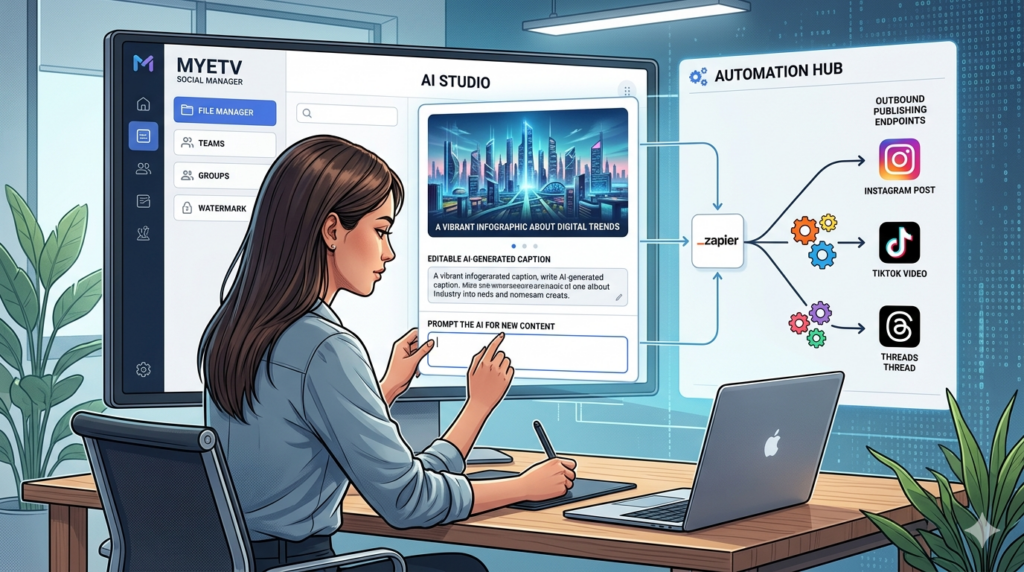
We have built native integrations and webhooks that allow you to connect our platform to thousands of other apps via Zapier, n8n, and Make.
- Inbound Publishing API Endpoint: Generate a secure API Key from your Automation Hub. You can write custom scripts or configure third-party apps to send data into our platform. Automatically trigger post creation from your CRM, your website’s backend, or custom IoT devices.
- Outbound Publishing Status Webhook: Need to know exactly when a post succeeds or fails? Configure our outbound webhooks. Whenever a post is published, the platform will send a real-time JSON payload to your specified URL, allowing you to update your internal databases or notify your team in Slack/Discord instantly.
6. Content Mastery: File Manager, Captions & Watermarks
Creating great content requires great organization. We have overhauled our asset management tools.
The File Manager
Your new media vault. The File Manager provides secure cloud storage for all your images and videos.
- Storage Limits: Your available storage space and maximum file upload- [Upload: the action by a owners of the network of sending an image or audio or video file (named as content) from the device] - size are determined by your selected plan.
- Free Tier Allowances: If you are operating on a free plan, you are generously provided with up to 1GB of total storage, with a maximum upload size of 50MB per file, perfect for getting started with high-quality images and short videos.
Search Media Online
Don’t have an image for your post? Use the Search Media Online tool. We have partnered with top-tier stock media services to let you search a massive database of Creative Commons-licensed images and videos directly from the dashboard. With one click, transfer the media into your File Manager for immediate use.
Captions Library
Find yourself typing the same disclaimers, hashtag blocks, or promotional blurbs? The Captions section allows you to save text snippets and draft templates. When composing a post, just pull up your Captions library and inject your saved text with a single click.
The Watermark Tool
Protect your brand identity. In the Watermark section, you can upload your company logo (PNG with transparency works best) or input custom text. Apply this watermark automatically to the corners of any images or videos you publish through the platform, adjusting the opacity and positioning to your exact liking.
7. AI STUDIO: The Future of Content Generation
Welcome to the AI STUDIO, the crown jewel of our creative suite. This is a dedicated workspace where generative AI works for you.
Instead of scouring the web for assets or hiring copywriters, you can generate entirely original content through simple prompts. Ask the AI STUDIO to create breathtaking, photorealistic images for your Instagram, or draft comprehensive, threaded articles for LinkedIn and Facebook.
Understanding AI Credits:
Generative AI requires immense computational power. Therefore, the AI STUDIO is governed by a credit system.
- Your active paid plan includes a specific, recurring allocation of AI credits.
- Every time you generate an image or a piece of complex text, a small number of credits is consumed.
- Running low? You don’t have to wait for the next billing cycle. Head to your Account Menu and click Credit Packages to instantly top up your balance.
- Remember, you can manage how the AI operates via the AI Settings in your account menu, allowing you to enable or disable features based on your team’s needs.
8. Team Collaboration Workspace
Social media is rarely a solo endeavor. The Teams section transforms the platform into a collaborative workspace.
- Invitations & Roles: Send email invitations to colleagues or clients who have registered accounts. You can assign them specific roles, carefully managing their permissions, decide exactly who can publish, who can only draft, and who can access the billing settings.
- Team Chat: Communication is streamlined with an integrated group chat. Discuss strategies, approve drafts, and coordinate campaigns with your team without ever leaving the dashboard.
9. The Affiliate Program- [Program/Software: the instructions that control what a computer does; computer programs] - : Earn While You Manage
We believe that our best advocates are our users. That is why we are launching a highly rewarding Affiliate Platform.
Every user receives a unique referral link. When you share this link, whether on your blog, your YouTube channel, or directly with peers, and someone signs up, you get rewarded. You will earn a commission not just on their initial registration, but a percentage of every purchase they make, including plan upgrades and AI credit packages. It is our way of saying thank you for helping the community grow.
Start Your Journey Today
The migration is complete, the servers are scaled, and the dashboard is ready. The transition from the old social.myetv.tv to the vast capabilities of https://socialmanager.myetv.tv marks a new chapter in digital management.
Whether you are scheduling a simple status update, building a complex Zapier automation flow, or generating entire campaigns using the AI STUDIO, you now have the ultimate toolset at your fingertips.
Log in, connect your accounts, and experience the future of social management today. Welcome to your new command center.
